
The rise of cloud computing: Cloud computing solutions for different needs
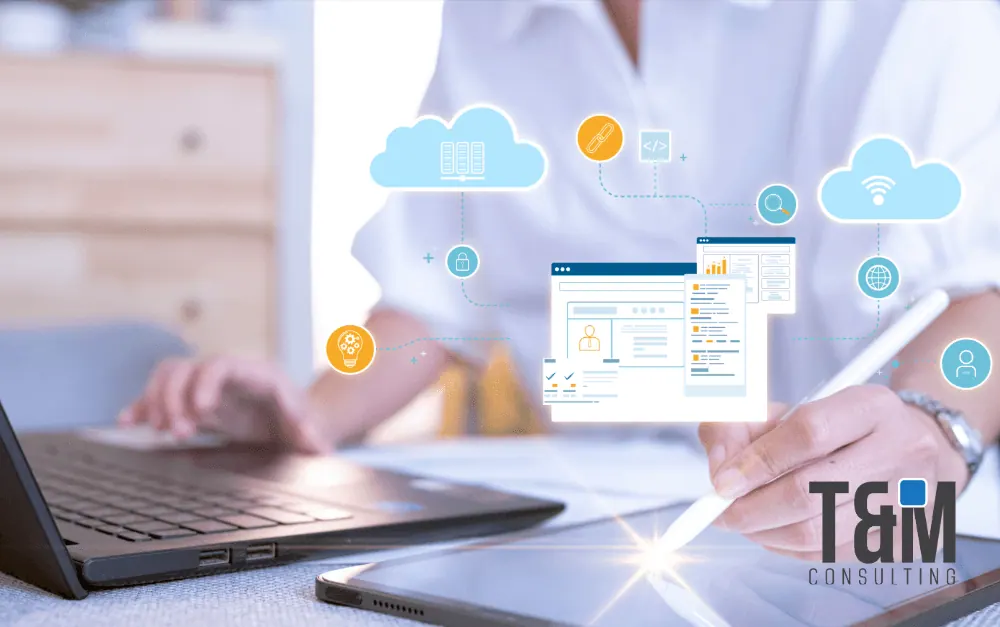
The cloud is an invaluable tool that provides instant access to processing resources through online services. This eliminates the need for companies to invest in their own infrastructure, allowing them to pay only for what they need. The three most common cloud service models are IaaS (Infrastructure as a Service), PaaS (Platform as a Service) and SaaS (Software as a Service).
These terms are probably familiar to you if you have explored cloud service offerings or cloud computing categories. However, all of these terms refer to how your organization uses the cloud and the level of management you should assume in your cloud environments.
In addition to these three main categories, you can find other types of cloud services that incorporate additional technologies, such as containers. For example, the increasing adoption of container and microservices architectures has led to the emergence of CaaS (Containers as a Service).
In general, “as a service” means that a service model is offered in the cloud through a third party. In other words, you don't need to buy, manage or use any hardware, software, tools or applications from a local data center. Instead, you simply pay a subscription or pay-as-you-go (pay-as-you-go) to access what you need on demand through an Internet connection.
Now, let's break down what you need to know about these essential service models in cloud computing, what they mean in practical terms, and how they differ from each other. This will help you better understand how you can leverage the cloud to optimize your business strategies.
So what exactly are IaaS, PaaS, SaaS and CaaS, and what benefits does each model bring to you and your teams? Generally, “as a service” implies that a service model is provided in the cloud through a third-party provider. This means you don't need to purchase, manage or operate any hardware, software, tools or applications from a local data center. Instead, you simply pay a subscription or pay-as-you-go (pay-as-you-go) to access what you need when you need it, all through an Internet connection. Here's a simple summary of each service model:
IaaS
Infrastructure as a Service, or IaaS, provides organizations with on-demand infrastructure resources through the cloud, including processing, storage, networking tools and virtualization. Customers are relieved of the task of managing, maintaining and upgrading their own data center infrastructure, but are responsible for the operating system, middleware, virtual machines and all applications or data.
PaaS
Platform as a Service, or PaaS, provides and manages all the hardware and software resources to develop applications through the cloud. IT teams and developers can use PaaS to develop, run and manage applications without the need to build and maintain the infrastructure or platform themselves. Customers must write the code and manage their data and applications, but the cloud service provider is responsible for managing and maintaining the environment to build and deploy applications.
SaaS
Software as a Service, or SaaS, offers the full application stack and provides a complete cloud-based application that customers can access and use. SaaS products are fully managed by the service provider, and are ready to use, including all upgrades, bug fixes and general maintenance. Most SaaS applications are accessed directly through a web browser, which means that customers do not have to download or install anything on their devices.
CaaS
Containers as a Service, or CaaS, provides and manages all the hardware and software resources needed to develop and deploy applications using containers. Often viewed as a subset or extension of IaaS, CaaS uses containers instead of virtual machines as the primary resource. IT teams and developers can use CaaS to develop, run and manage applications without the need to build and maintain the infrastructure or platform to run and manage containers. Customers still need to write the code and manage their data and applications, but the cloud service provider is responsible for managing and maintaining the environment to build and deploy container-hosted applications.
Key differences between PaaS, SaaS, CaaS and IaaS in the cloud
Understanding the differences between IaaS, PaaS, SaaS and CaaS in the cloud realm is all about the degree of control and accountability. Each of these models provides a distinct option to managing your own on-premises data center, however, depending on the model you select, the service provider will be responsible for managing different components of the processing stack.
1- IaaS (Infrastructure as a Service):
Provides on-demand access to cloud-hosted computing infrastructure (servers, storage capacity and network resources).
Customers can provision, configure and use the hardware in the same way they use local hardware.
The cloud service provider hosts, manages and maintains the hardware and computing resources in its own data centers.
Customers use the hardware through an Internet connection and pay for it on a subscription or per-use basis.
2- PaaS (Platform as a Service):
Provides on-demand access to a complete, out-of-the-box, cloud-hosted platform for developing, running, maintaining and managing applications.
Customers do not need to worry about the underlying infrastructure and can focus on application development.
PaaS providers manage operating system upgrades, scalability and security.
3- SaaS (Software as a Service):
Provides on-demand access to application software hosted in the cloud and ready for use.
Customers do not need to install or maintain the software, as everything is managed from the cloud.
SaaS providers manage the technical infrastructure, including servers, networks, and storage.
4- CaaS (Containers as a Service):
A cloud service model that allows users to manage and deploy containers, applications, and container pools.
Users can load, organize, start, stop, scale, and delete containers with this service model.
CaaS providers provide the infrastructure, while users are responsible for the applications and services running in the containers.
How to select the right model for your needs: pros and cons.
When deciding whether PaaS, SaaS or IaaS in the cloud is the right choice for your business, each service model offers different benefits and limitations. Furthermore, it is crucial to understand that these three are not mutually exclusive, as you are not limited to selecting just one service model.
You can choose one according to your business requirements, but you also have the option of combining it with another or even integrating all three with a more conventional IT infrastructure. Below, we will explore some of the most common advantages and disadvantages of each model:
IaaS benefits:
Supreme control over the infrastructure.
Scalability on demand.
Absence of a single point of failure, leading to greater reliability.
Lower upfront capital costs (e.g., pay-as-you-go models).
Reduced provisioning delays and wasted resources.
Streamlined development and accelerated time to market.
Limitations of IaaS:
Responsibility for security and data recovery rests with you.
Need for hands-on configuration and maintenance.
Challenges in safeguarding legacy applications in a cloud-based infrastructure.
Benefits of CaaS:
Perfect for running, managing and scaling microservices.
Efficient development speeds time to market.
Provides greater control and configuration of networks and application components.
Enhances workload portability between different environments, such as hybrid cloud and multiple clouds.
Integrates performance monitoring and container orchestration.
Limitations of CaaS:
Some CaaS solutions may have limited language support, depending on the cloud service provider.
The use of CaaS may increase the security risks of containers, as they share the same kernel with the operating system (although they are considered more secure than virtual machines).
Benefits of PaaS:
Immediate access to a comprehensive, easy-to-use development platform.
The cloud service provider is responsible for infrastructure maintenance and security.
Available through any Internet connection and on any device.
Scalability on demand.
PaaS limitations:
There may be restrictions in the application stack to the most relevant components.
Vendor lock-in can present challenges, depending on the cloud service provider.
Reduced control over operations and overall infrastructure.
More restricted customization capabilities.
Benefits of SaaS:
Simple to set up and configure.
Vendor is responsible for managing and maintaining all components, from hardware to software.
Software is accessible through any Internet connection and from any device.
Limitations of SaaS:
Lack of control over infrastructure and security measures.
Difficulties integrating with your current tools and applications.
Vendor lock-in can present challenges, depending on the cloud service provider.
Limited or no customization capabilities.
With continued adoption of these solutions, we can look forward to a future where innovation and efficiency are the norm, driving growth and success across all industries. Cloud computing is not just a trend, but an essential evolution in the digital age that will continue to shape our world.
Remember to follow us on our networks to learn more about the world of technology and trending topics.